OK, time for the rundown.
View upcoming races via Race Schedules in the menu
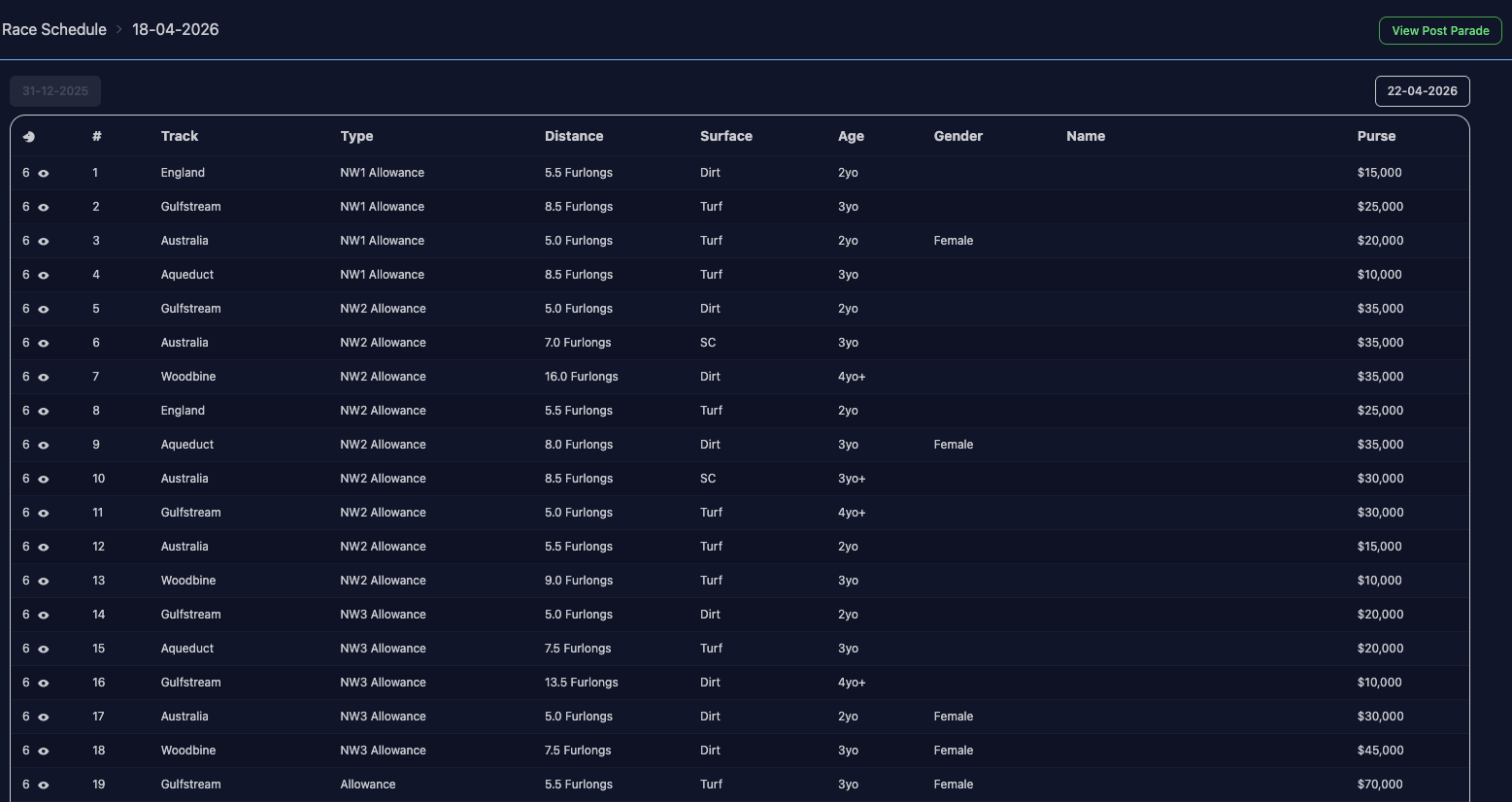
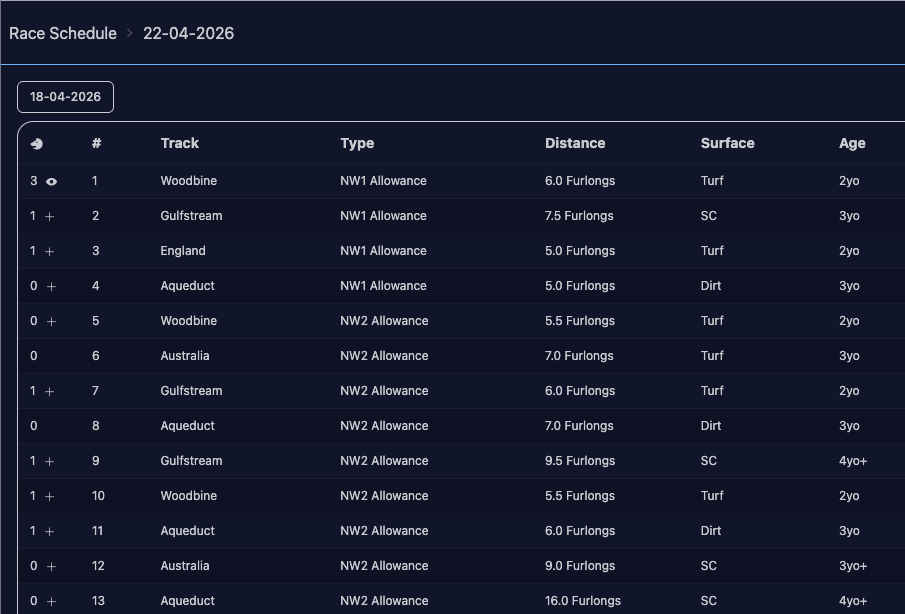
Race schedule page info
You can click on any columns to sort by them.
You can view the post parade via the View Post Parade button in the top right.
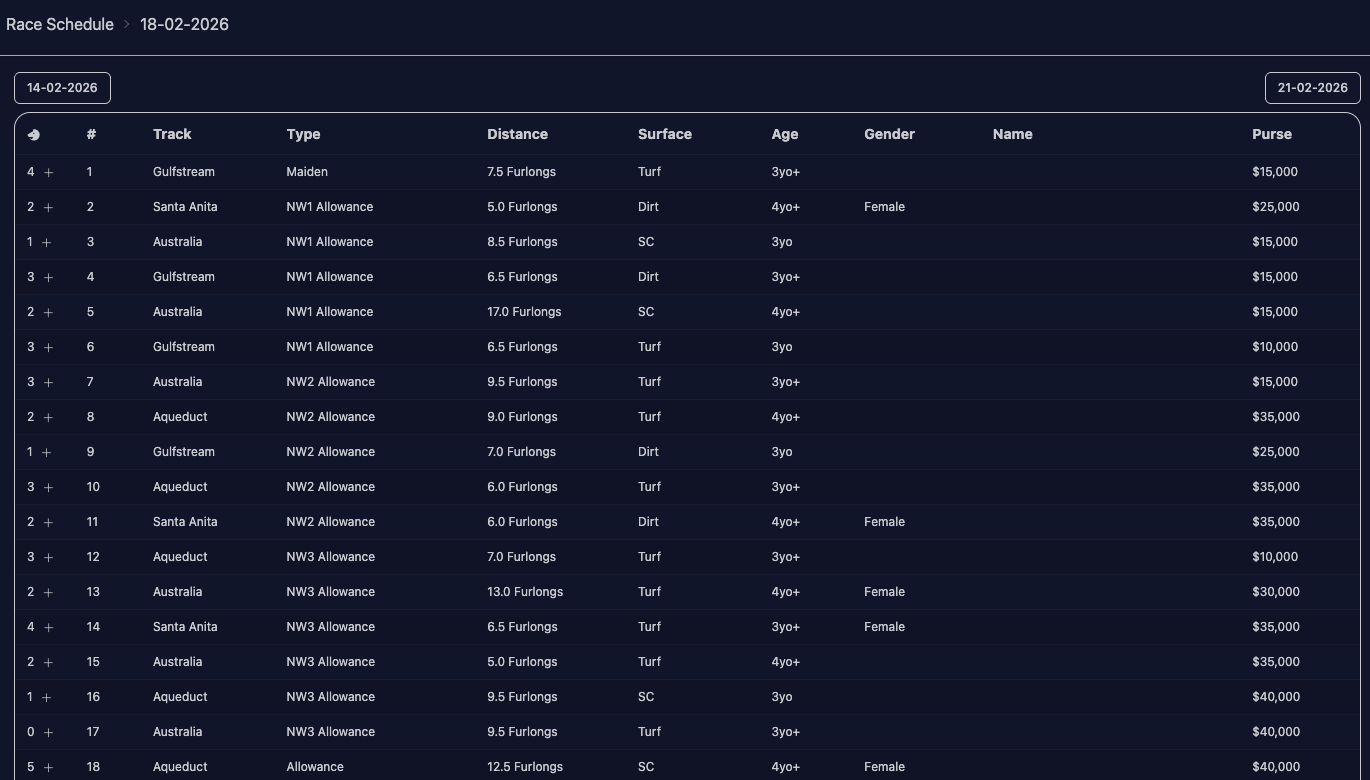
The left-most column shows the number of horses, and an icon representing the status of your horses with that race. In this case, it’s all eyes because entries have closed, so even if you have horses who qualify for these races, you can’t enter, you can only view entries.
You can navigate to future dates via the dates in the top above the list of races.
Looking at a future date, you can see the icons. Race 1 has an eye because I already have 1 2yo entered in that race. If I have more 2yos eligible for that race, it will turn into a + on the last day of entries when I can enter a second horse.
The races with no icon next to them (like #8) means they have no entries, and I don’t own any horses eligible to run in them. If they had entries but I didn’t have eligible horses, it would be another eye icon.
Race entry page
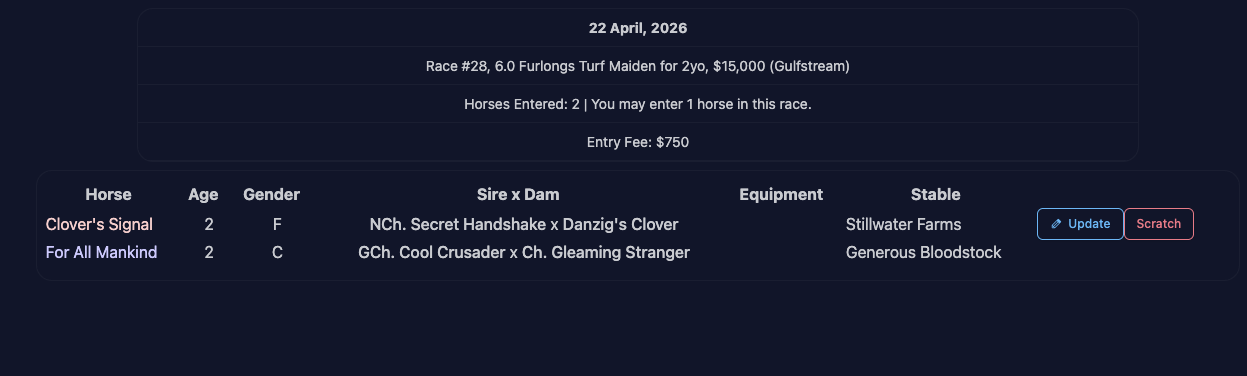
This page should look familiar. It shows the current entries, and if I own/lease any of them, I can update the options or scratch the horse. In this case, no statuses are listed below as I can only enter 1 2yo at this time, so it doesn’t bother to load my other 2yos.
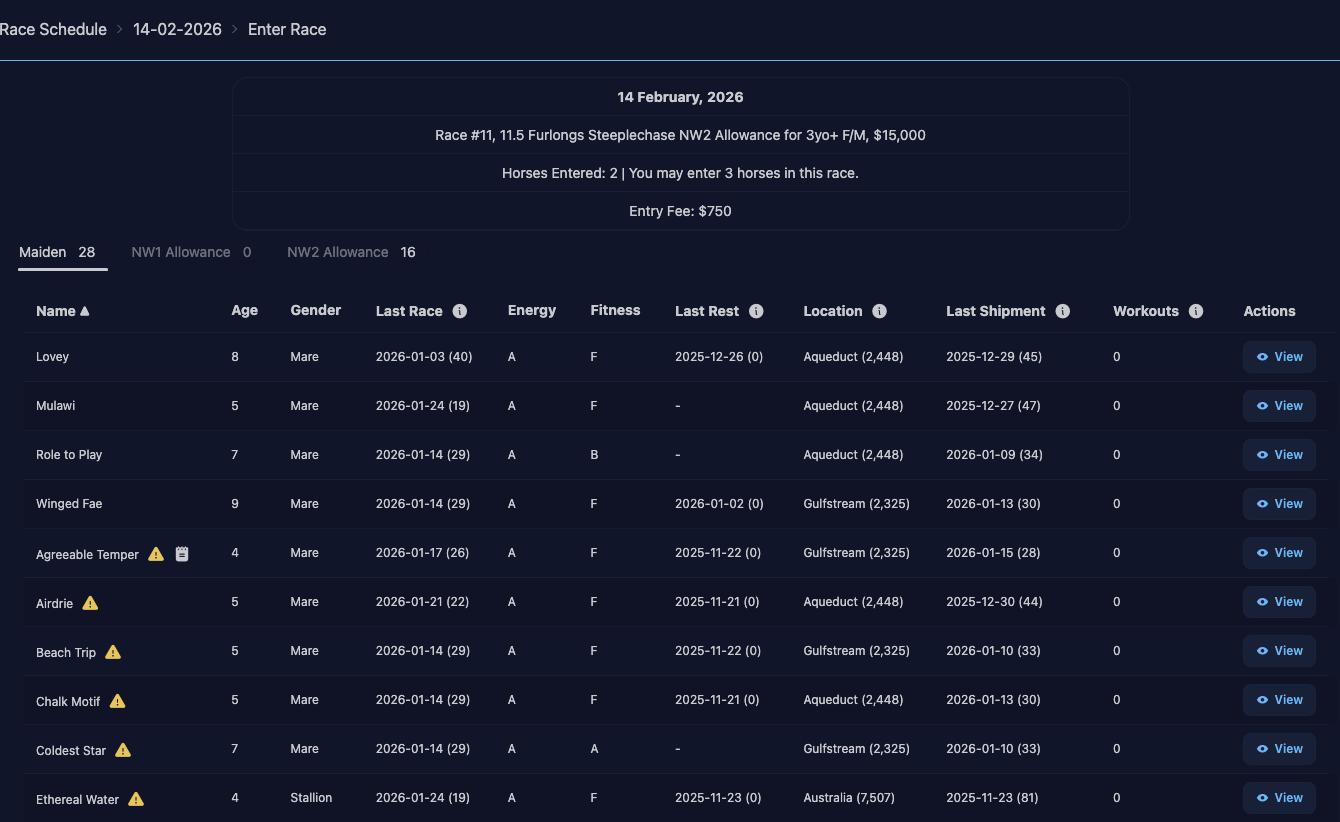
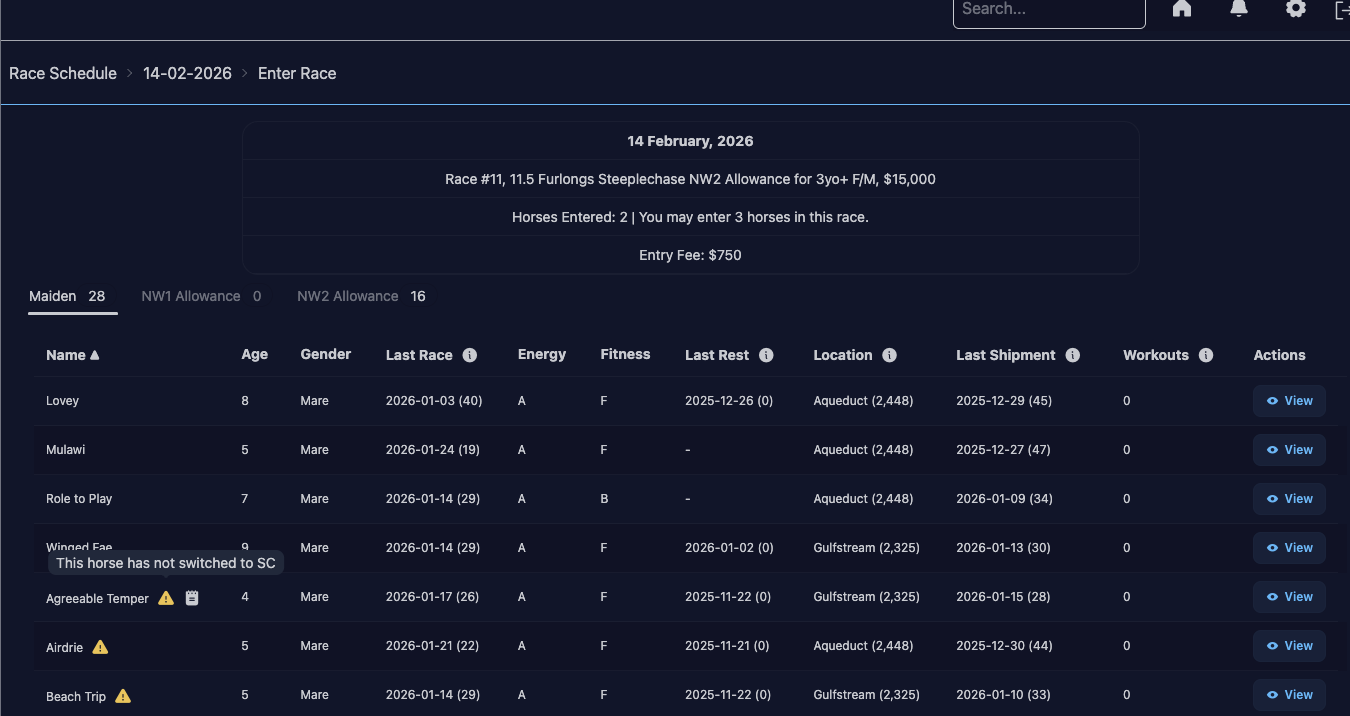
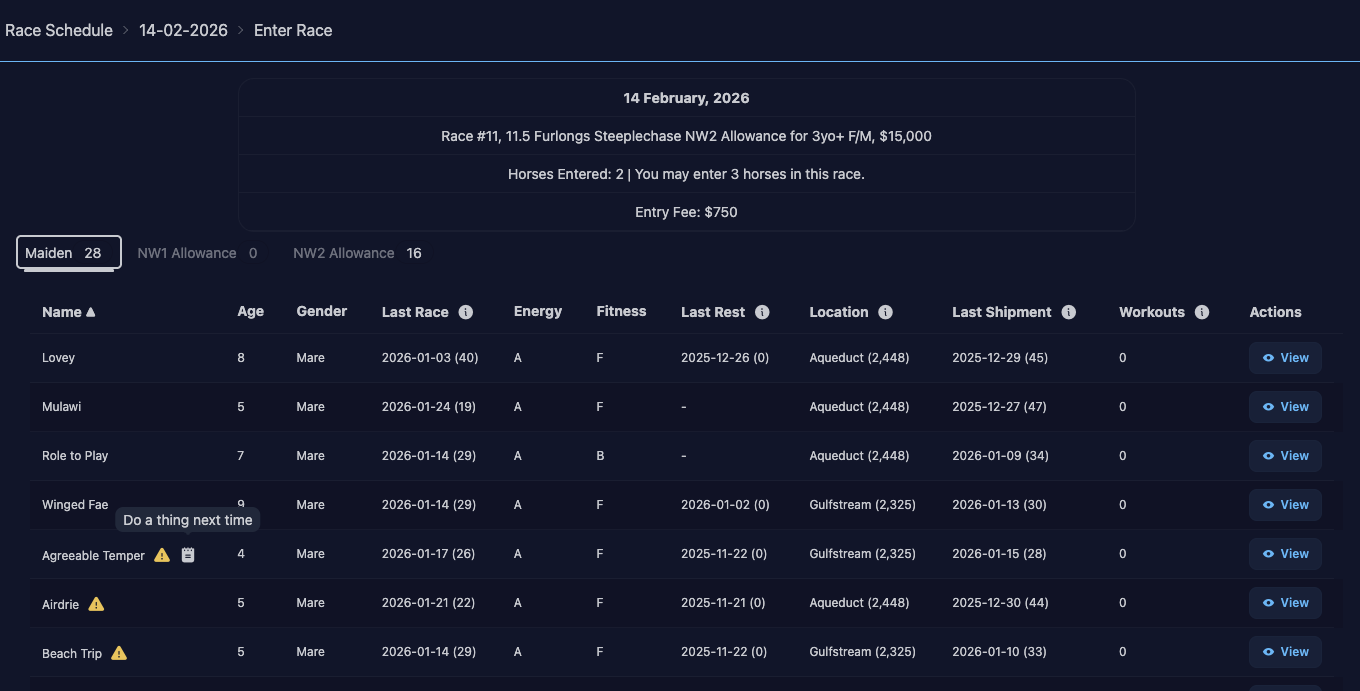
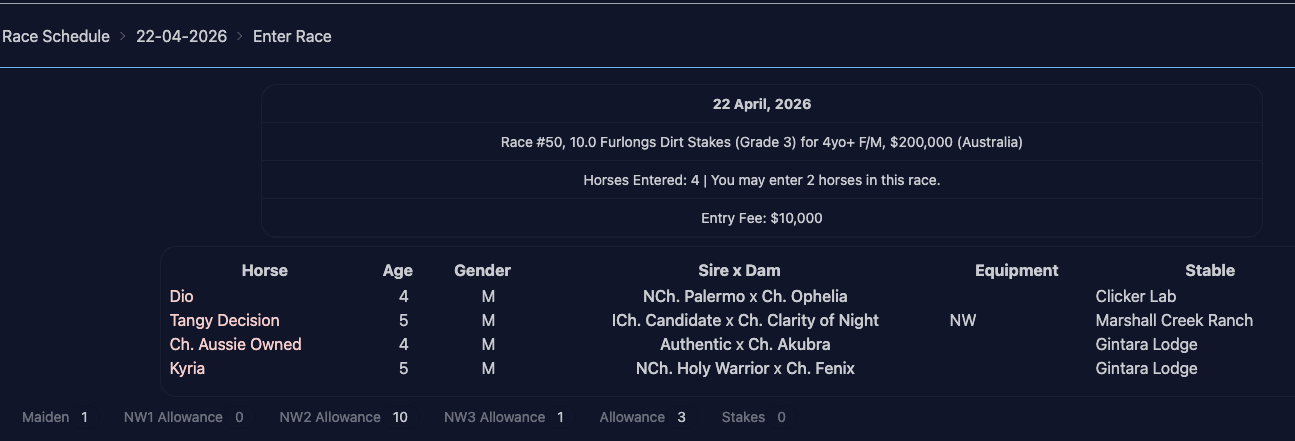
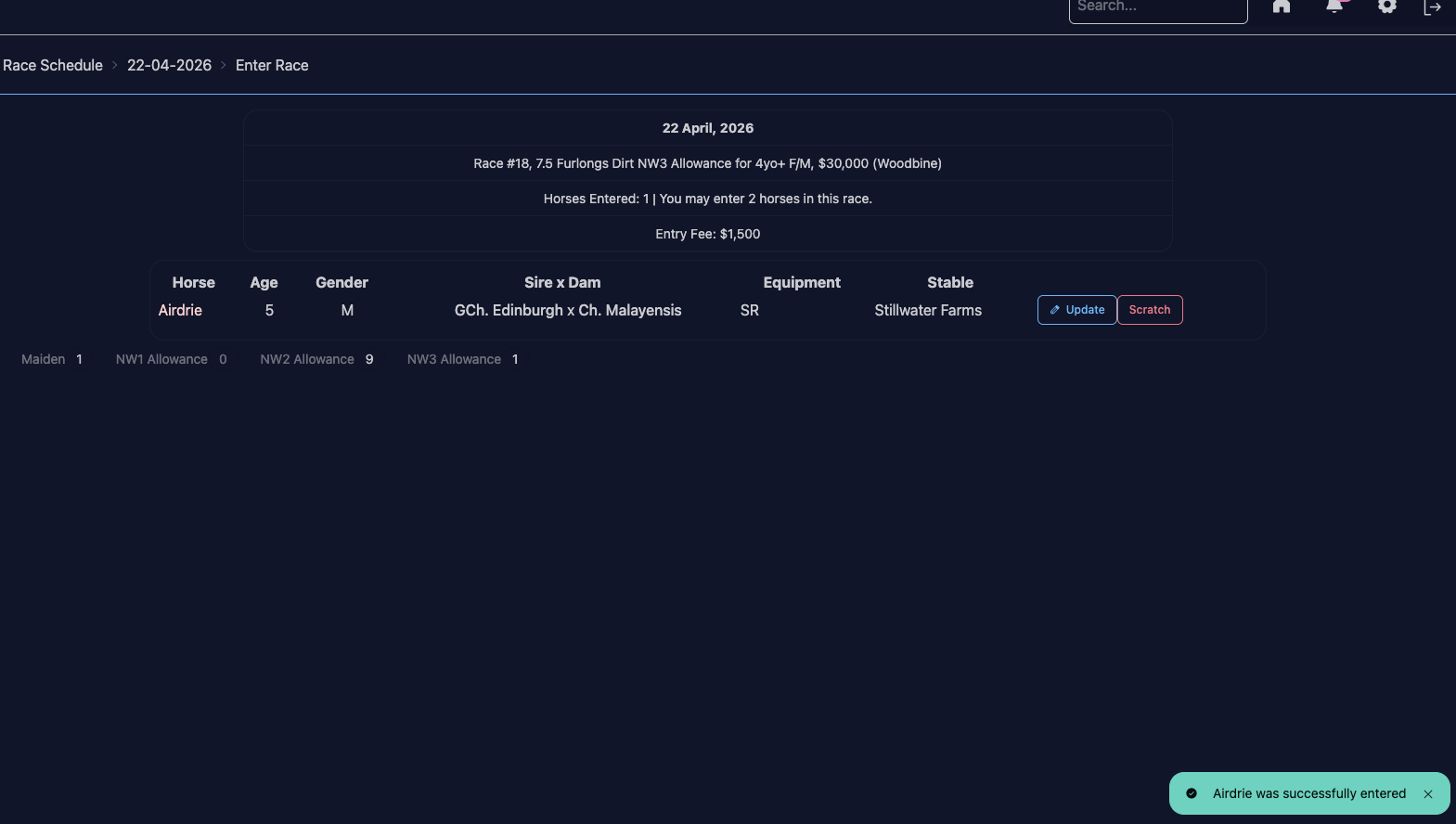
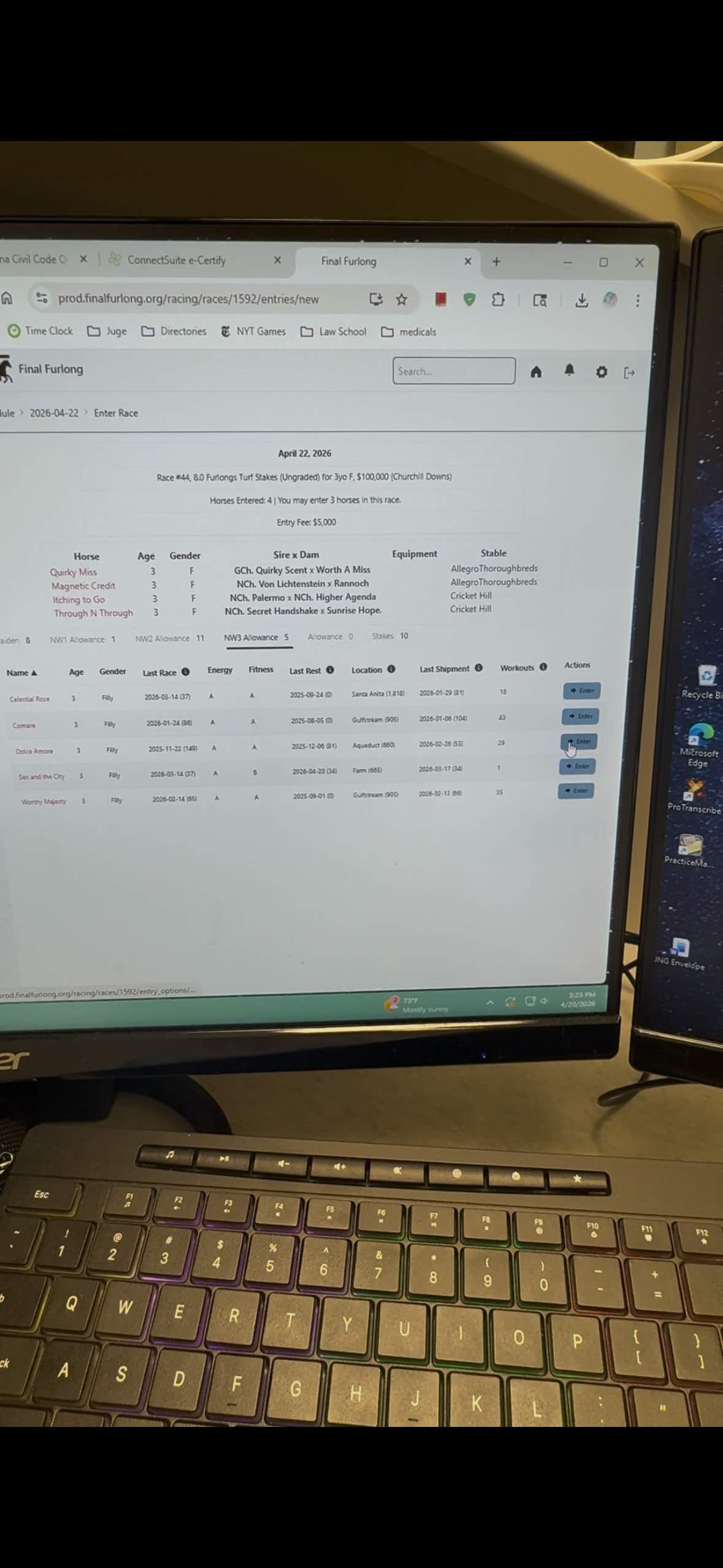
Looking at a race where I could enter a horse, I see the list of horses broken out by status. This shows I have 1 horse who is a maiden, 10 horses who qualify for NW2 allowances, 1 horse who qualifies for NW3 allowance, 3 horses who are allowance/stakes level (not qualified for NW3 or below). The lists are exclusive so if your horse shows up in one list they won’t show up in the others. Allowance is anyone not qualified for NW3 who is also not stakes placed. Stakes is anyone not qualified for NW3 who is stakes placed. So I have 3 non-stakes placed horses eligible, and 0 stakes-placed horses eligible.
This list also takes into account your stable settings re: minimum days between races, minimum workouts, etc. And it takes into account horse-specific options, like min/max distance, runs on dirt/turf.
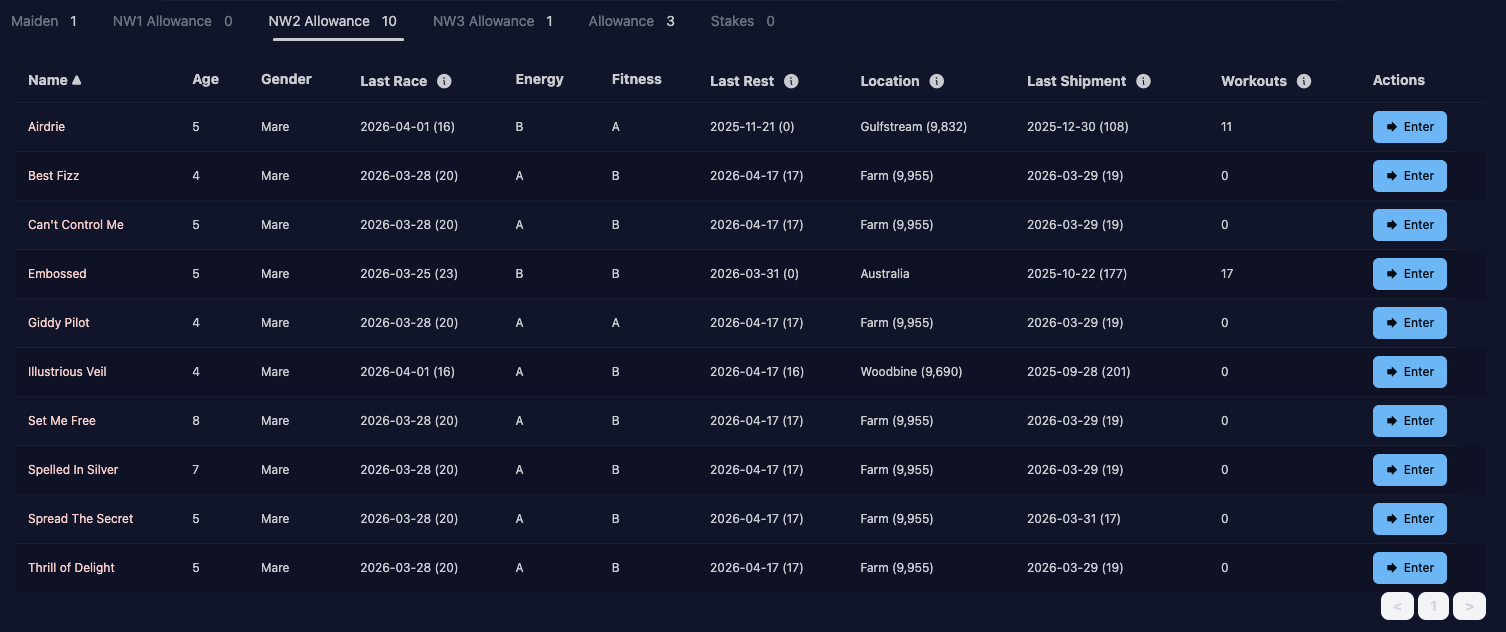
Clicking on one of the tabs shows me the horses.
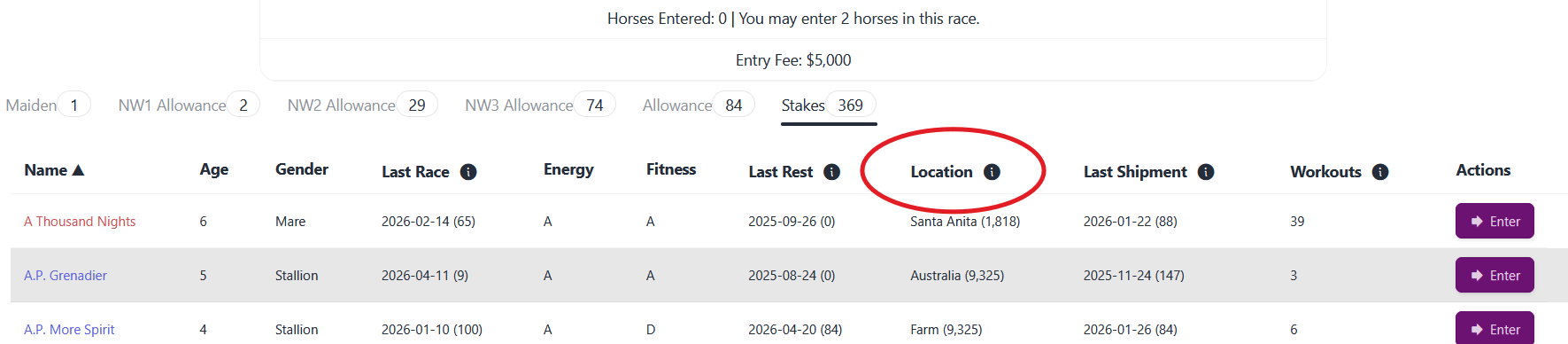
Again, you can sort by the columns. The numbers in parentheses by the various columns (race, rest, shipment) are the number of days since that event.
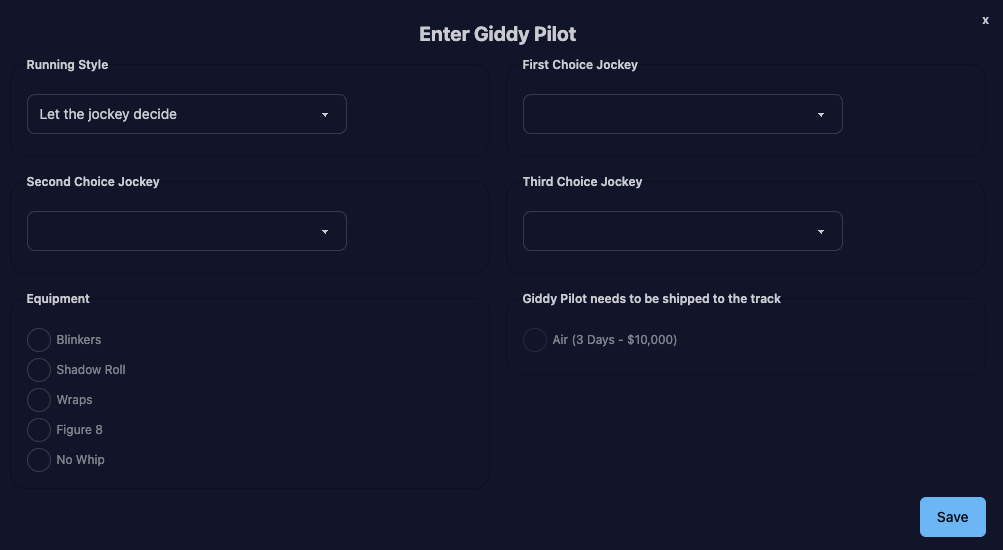
Race entry form
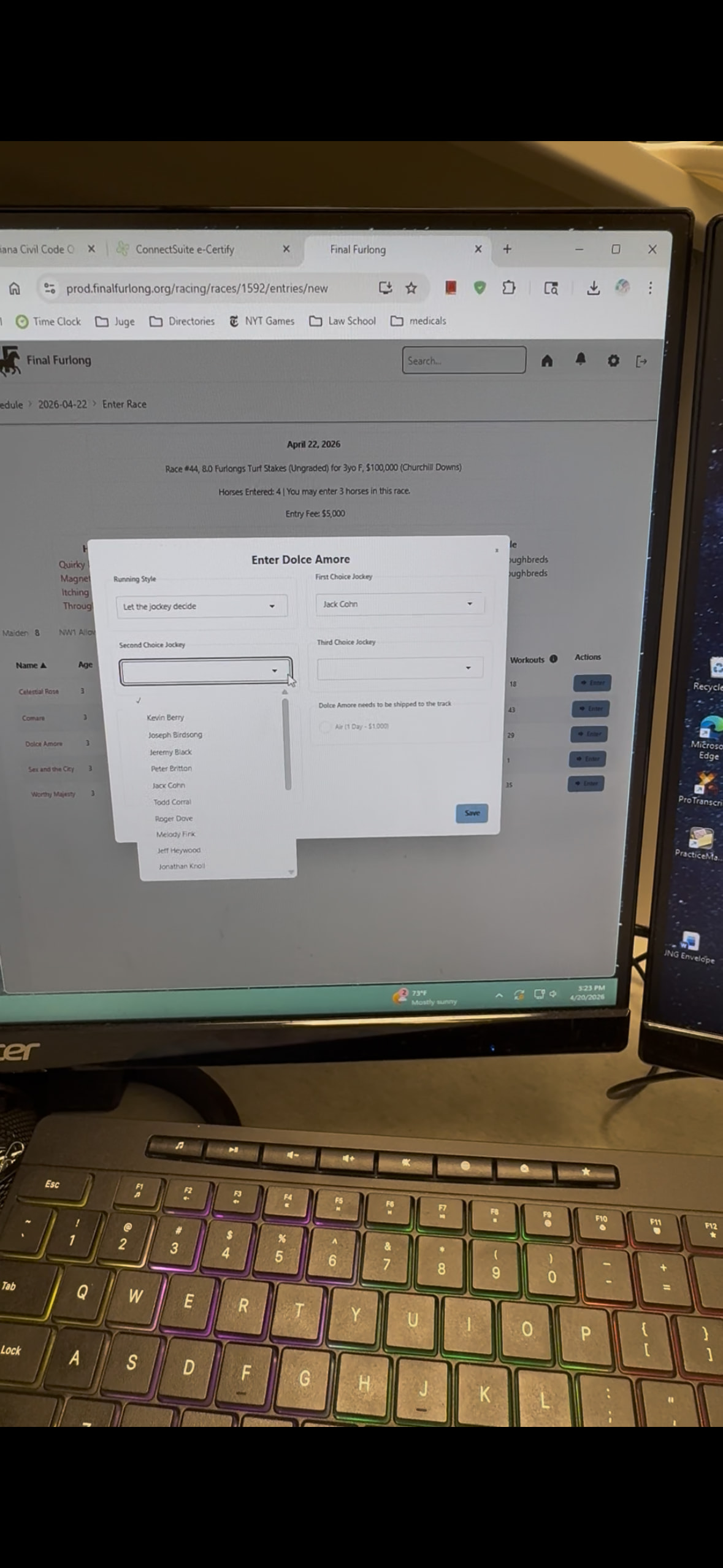
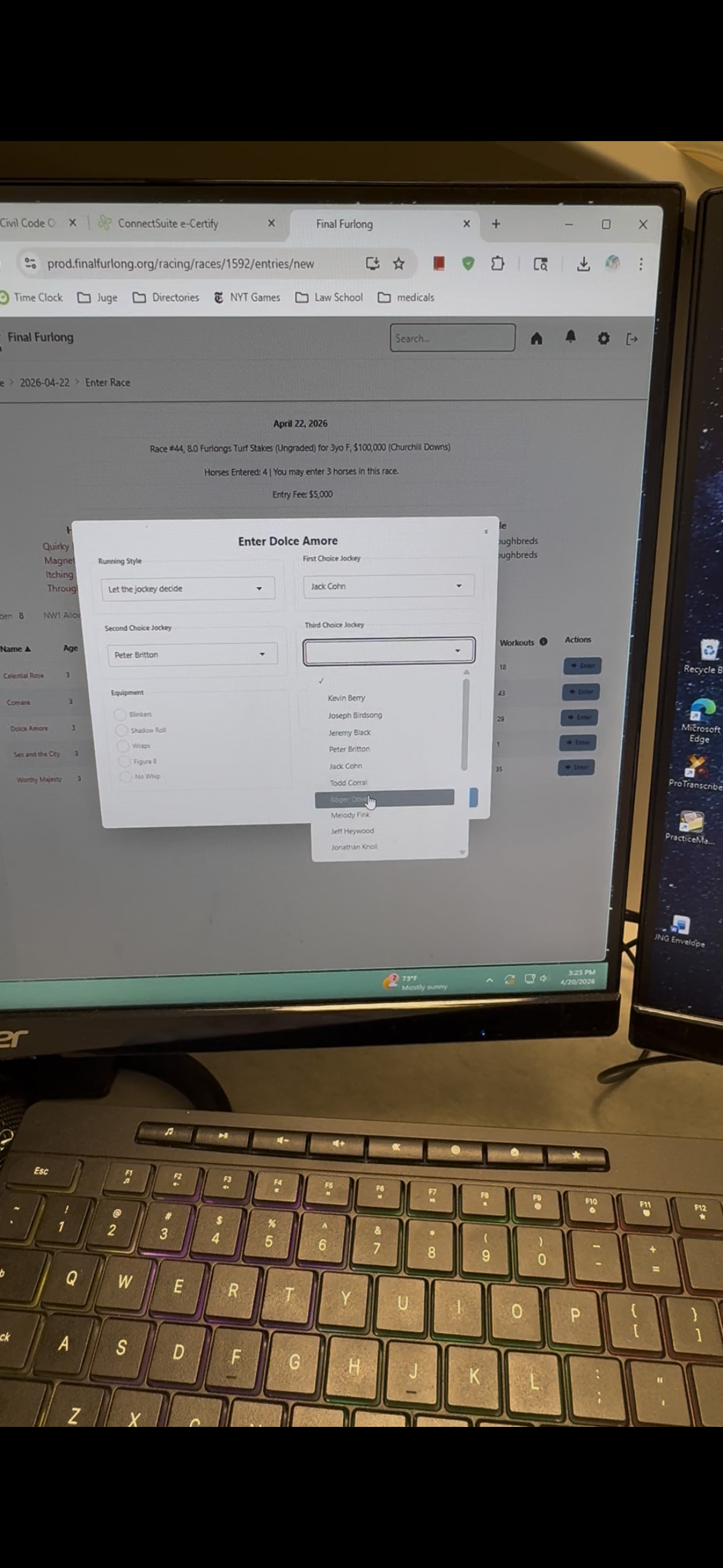
This should look pretty familiar. It will load in the horse’s options (for jockey/equipment/running style) if they’re set. Shipping options will only show what works to get the horse to the track in time (the day before the race).
You’ll see a success message if the entry worked, or errors on the form if it didn’t.
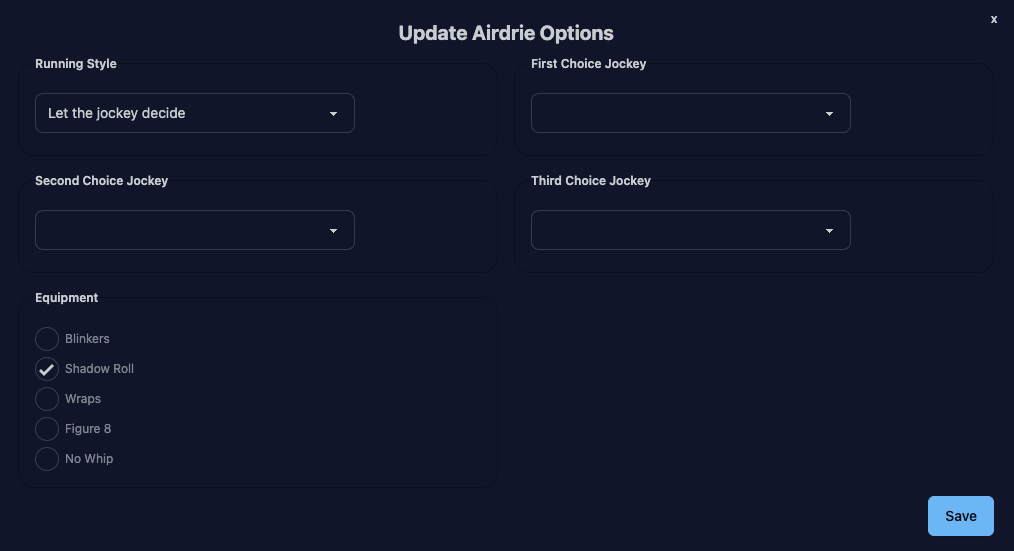
Clicking “Update” next to one of your entries gives the same form (minus shipping options) to update the settings for that race.
Clicking “Scratch” will ask you to confirm and then remove the horse from the race (as before, you’ll get your entry fee refunded if entries are still open).
Horse entry page
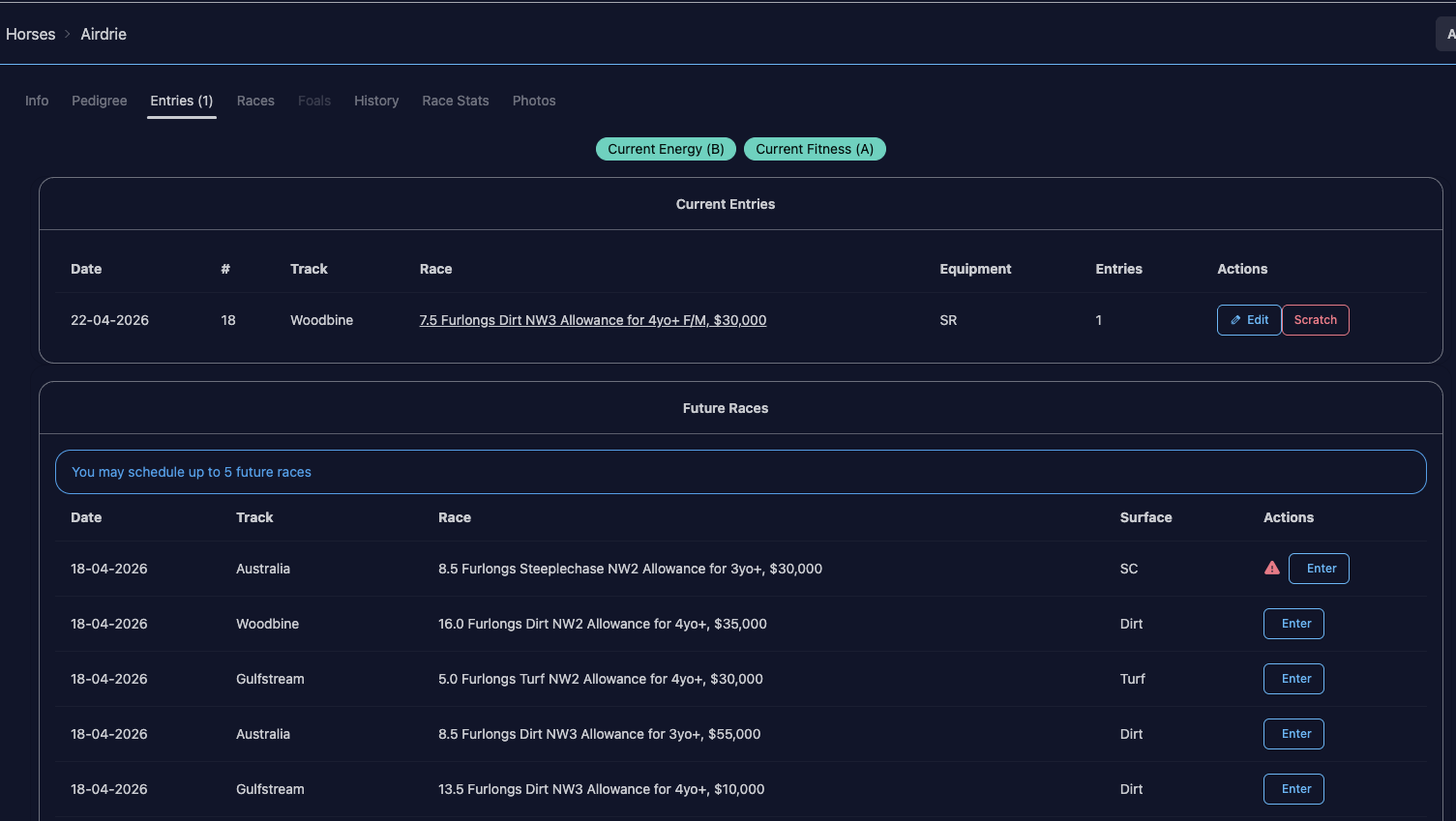
Your horse page will show the number of current + scheduled entries. You can also see their current energy + fitness levels on this page. A/B grades are in green, C is in yellow, D/F are in red. (I am planning on moving these to the header so they’re always visible, if I can figure out a pretty way to do it on mobile.)
Clicking on it will show the entries in date order (but you can sort the columns). You can edit the options for that race, or delete (scheduled entry) / scratch (current entry) from the horse’s page.
As well as future races that can be entered. A red alert symbol is for flat horses and a steeplechase race. A yellow alert symbol is if you have “minimum days since last race” set, and that race conflicts. You can still schedule the entry, it’s more of a FYI.
The alerts will also show when you click Schedule
As it says at the top of the future entry list, you can schedule up to 5 entries, so you could have as many as 6 entries in the “Current Entries” list (1 current race entry + 5 scheduled). Obviously there’s no guarantee that the scheduled entries will work, e.g. you could schedule incompatible races (by destination, race type, etc), but at least you have the option to plan out a campaign. Scheduled entries work up to 6 months in the future.
Stable future races
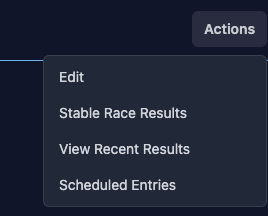
On your stable page, click Scheduled Entries
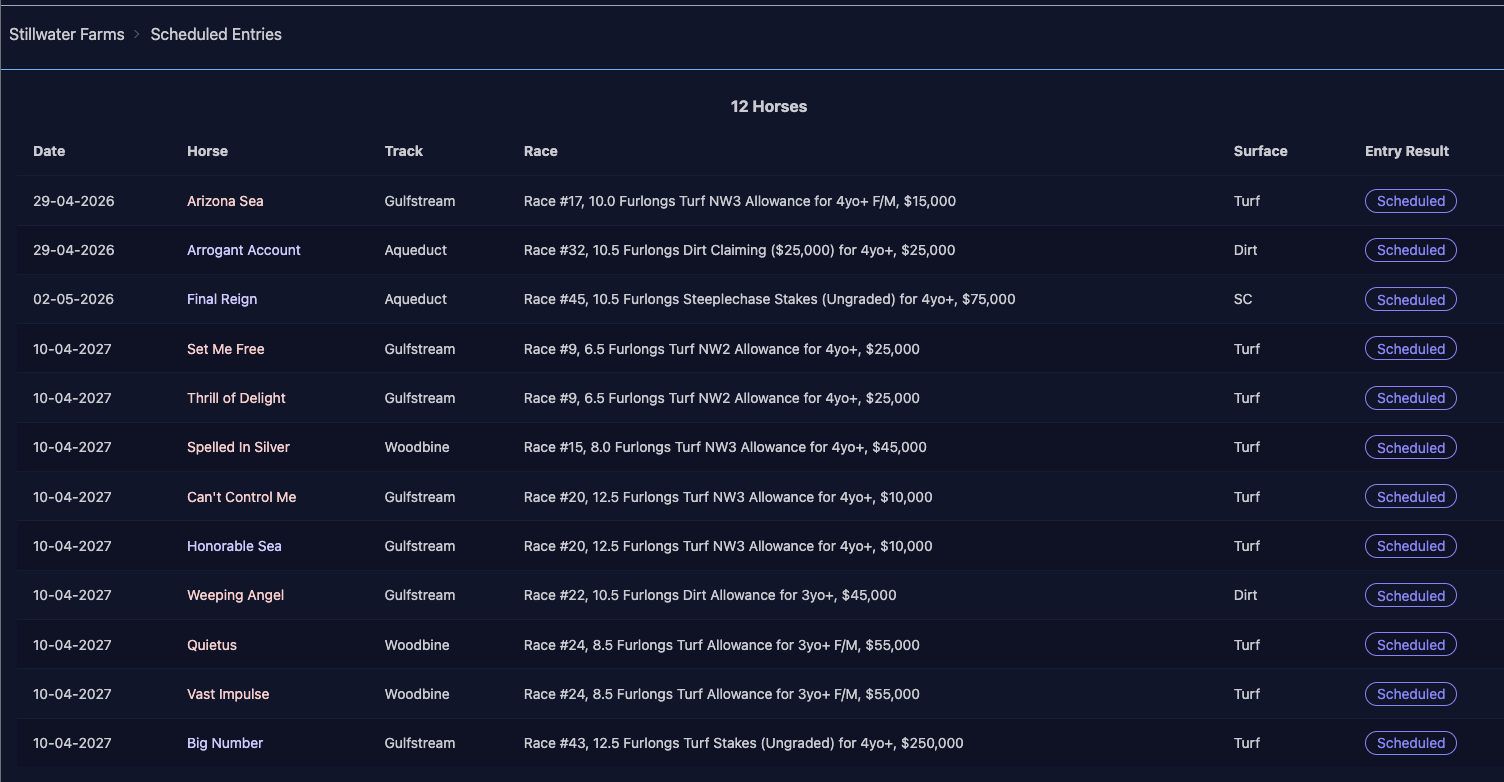
This will show all your scheduled entries, by order of status (entered first, then ones that had errors, then ones that were skipped, then scheduled), then by race date / number / horse name.
I will be adding similar edit / delete buttons here, just haven’t had a chance yet. For entries that were errored / skipped and entries are opened, you can click on the race link to get to that page to manually enter.
I think that’s it so far. The only key piece that’s missing is qualification, but we don’t need that until October/November. Just bear in mind that if you see Breeders’ Cup / Breeders’ Series races on your horse’s future races list, there’s no point scheduling them as the logic behind that isn’t built yet.
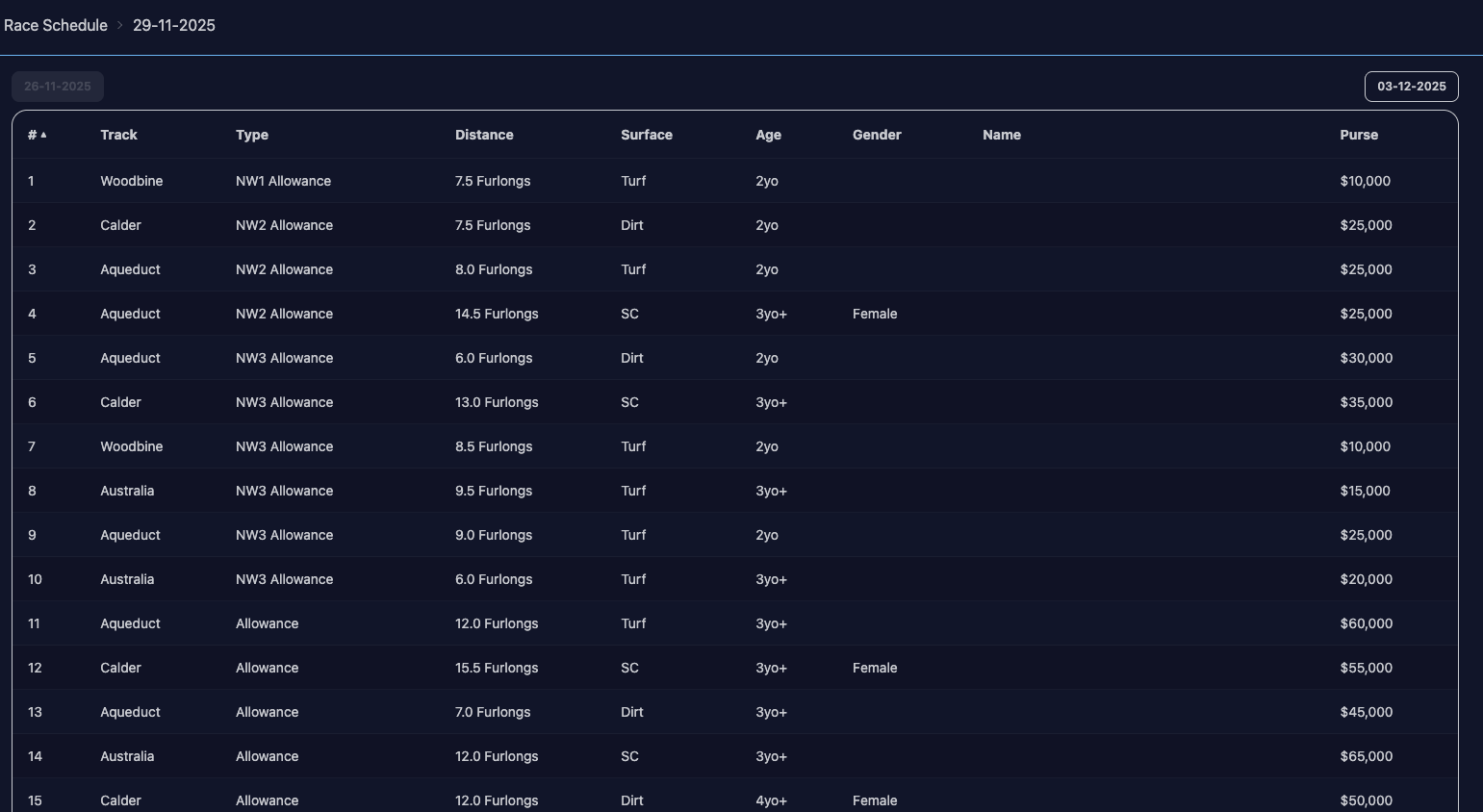
 Or maybe I can put stuff into tooltips so the table fits onto smaller screens better, but I know tooltips can get wonky on a phone.
 I’ll keep investigating though.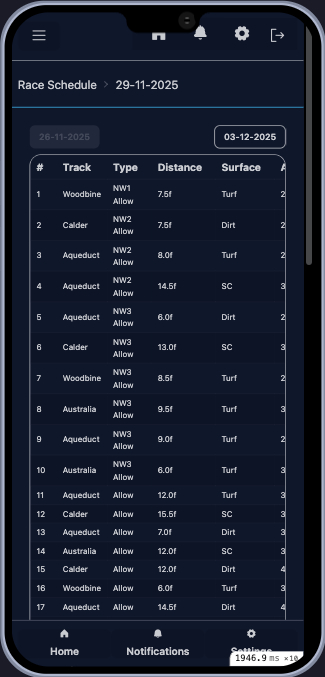





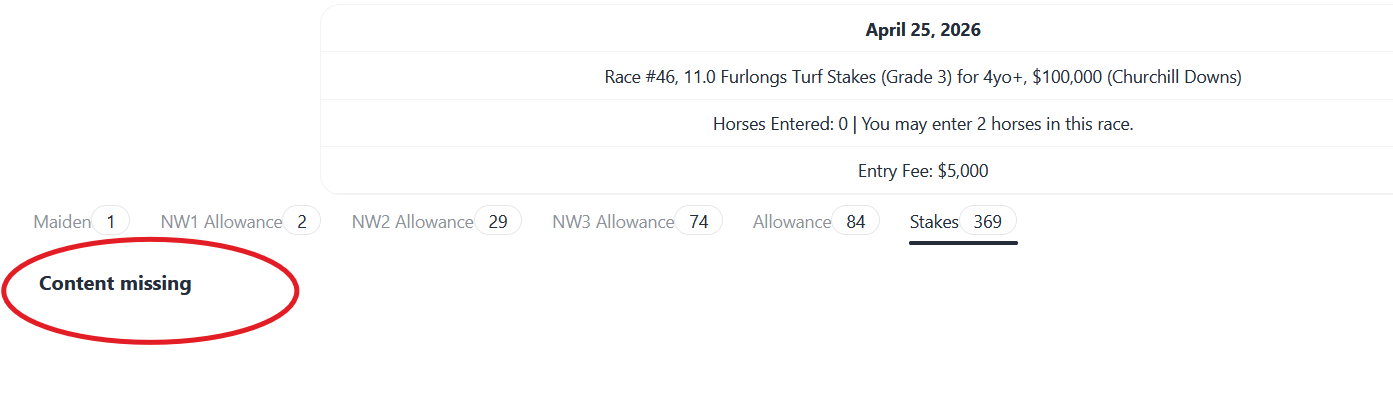

 She was stuck in limbo by being both in transit to Churchill Downs but also still treated as being at…wherever she was before, Aqueduct maybe? So now I’ve updated everything so that it knows she’s at CD and it should behave.